
Tag: Intune
-
Automating Reboot Maintenance Using Intune Proactive Remediations
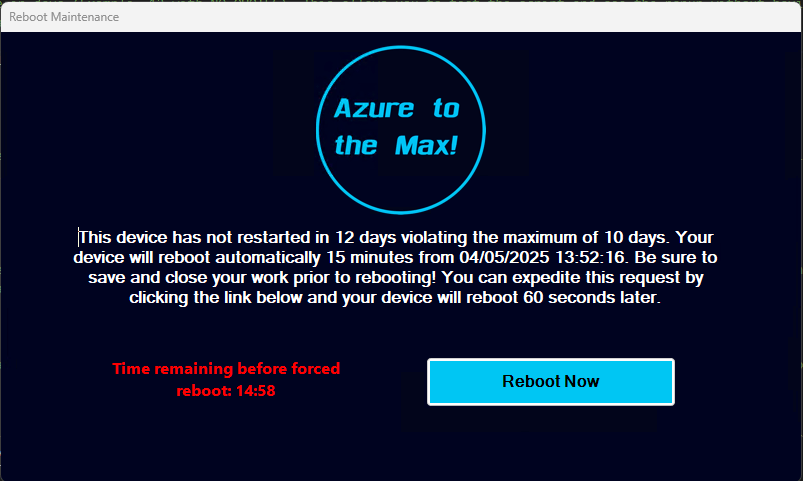
Intro: One of the age-old issues we in IT face is the employee who thinks rebooting their machine is a quarterly process, or at most a monthly process forced by Windows Updates. As we all know, lengthy up times have a tendency to create system instability and sluggishness, prevent application updates from processing (because much…
-
Detecting & Automatically Removing Secondary “Work Or School” Accounts: Part 4
This Article Has Been Retired! Warning: I have chosen to “retire” this article. As time has marched on, and more information has been revealed, the blogs in this series have slowly become less and less up-to-date, and frankly, more and more of the information I was told as gospel has proved flawed or muddied. As…
-
Automating Disk Space Alerts with Intune Proactive Remediations
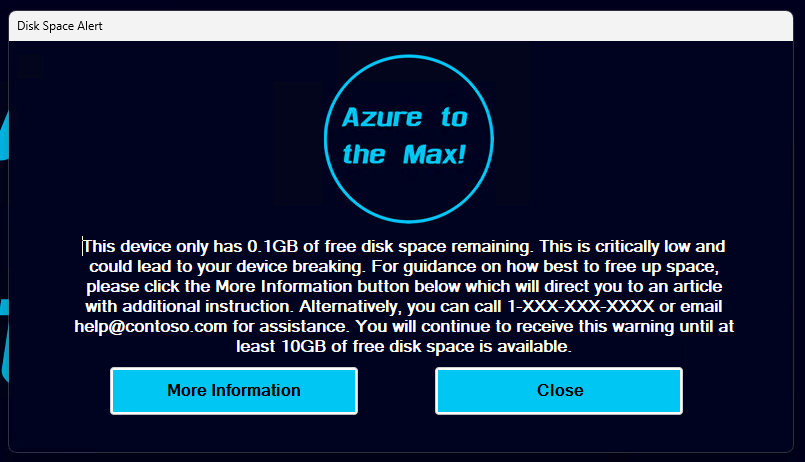
Intro: One of the age-old issues we in IT face is a machine running low on disk space. At best, this causes devices to become unstable, struggle to apply patches, and loose overall system (and employee) performance. At worst, it takes the device offline incurring downtime and potentially data loss. Thanks to ever-larger and cheaper…
-
Retired: Detecting & Automatically Removing Secondary “Work Or School” Accounts: Part 1
This Article Has Been Retired! Warning: I have chosen to “retire” this article. As time has marched on, and more information has been revealed, the blogs in this series have slowly become less and less up-to-date, and frankly, more and more of the information I was told as gospel has proved flawed or muddied. As…
-
Fixed – KB5034441 Causing Issue for WinRE
Clarification: This article is probably going to confuse a few people. Yes, this topic was previously being covered by an article dating back to May that covered both this issue and the Enterprise Activation update issue. The point of that article was to both discuss the recent update experience and the recent support experience. Unfortunately,…
-
Log Analytics for Application Usage Monitoring Part 1.6: Deploying the Script
Introduction: With your data ingesting and workbooks deployed, we are now ready to start deploying the collector via Proactive Remediations in Intune. This will likely be the final article in this series, at least for now. In this section, we will cover… Requirements: This should be pretty obvious, but you need to have completed the setup…
-
Log Analytics for Application Usage Monitoring Part 1.4: Sample Data, Tables, DCRs, Initial Ingestion
Introduction: We have now covered what this solution does and its cost, at least from an ingestion standpoint. Now, we will finally be deploying something! In this article, we will generate our sample data, use it to create our new tables and DCRs, grant the appropriate permissions on those DCRs, and perform an initial ingestion!…
-
Log Analytics for Application Usage Monitoring Part 1.3: Configure Event Auditing
As explained in prior articles, the Application Usage Monitoring makes use of Windows Event logs for data gathering. While the Event Log has a ton of useful information by default, the logs we need to capture for this tool to function are not logged by default and instead must be enabled via policy This article…
-
Log Analytics for Windows Application Usage Monitoring Part 1.1: Technical Details and Limitations
Introduction: In my initial article of this series, I mentioned that there were a few asterisks, footnotes, limitations, and caveats to understand with this solution. Luckily, this is again much less of a concern than it was with the System Usage & Authentication Monitoring series as this collector isn’t targeting nearly the volume of event…
-
Log Analytics for Windows Application Usage Monitoring Part 1.0: Overview
Introduction: For those of you familiar with my work on Log Analytics, you know that I have at several times throughout several articles touted the ability for PowerShell to pull Windows Events, including those from the Security log which the now old Log Analytics agent could not do. And, unfortunately, the new AMA has other faults which…
 Azure to the Max