-
Detecting & Automatically Removing Secondary “Work Or School” Accounts: Part 4
This Article Has Been Retired! Warning: I have chosen to “retire” this article. As time has marched on, and more information has been revealed, the blogs in this series have slowly become less and less up-to-date, and frankly, more and more of the information I was told as gospel has proved flawed or muddied. As…
-
Retired: Detecting & Automatically Removing Secondary “Work Or School” Accounts: Part 3
This Article Has Been Retired! Warning: I have chosen to “retire” this article. As time has marched on, and more information has been revealed, the blogs in this series have slowly become less and less up-to-date, and frankly, more and more of the information I was told as gospel has proved flawed or muddied. As…
-
Retired: Detecting & Automatically Removing Secondary “Work Or School” Accounts: Part 2
This Article Has Been Retired! Warning: I have chosen to “retire” this article. As time has marched on, and more information has been revealed, the blogs in this series have slowly become less and less up-to-date, and frankly, more and more of the information I was told as gospel has proved flawed or muddied. As…
-
Automating Disk Space Alerts with Intune Proactive Remediations
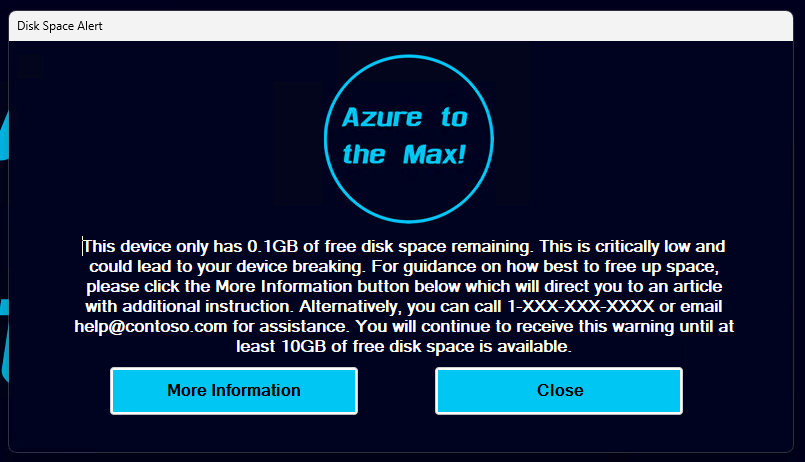
Intro: One of the age-old issues we in IT face is a machine running low on disk space. At best, this causes devices to become unstable, struggle to apply patches, and loose overall system (and employee) performance. At worst, it takes the device offline incurring downtime and potentially data loss. Thanks to ever-larger and cheaper…
-
Retired: Detecting & Automatically Removing Secondary “Work Or School” Accounts: Part 1
This Article Has Been Retired! Warning: I have chosen to “retire” this article. As time has marched on, and more information has been revealed, the blogs in this series have slowly become less and less up-to-date, and frankly, more and more of the information I was told as gospel has proved flawed or muddied. As…
-
Fixed – Enterprise Subscription Activation Broken by KB5036893 & KB5036892
This Has Been Fixed as of August 2024: A preview fix came out in July as part of KB5040527 and KB5040525. That fix was then fully released as part of the August update KB5041585, although they didn’t copy over the above noted fix in the documentation from the preview update. I’ll leave the article up…
-
Fixed – KB5034441 Causing Issue for WinRE
Clarification: This article is probably going to confuse a few people. Yes, this topic was previously being covered by an article dating back to May that covered both this issue and the Enterprise Activation update issue. The point of that article was to both discuss the recent update experience and the recent support experience. Unfortunately,…
-
PowerShell DCR Log Analytics Updates: SMBv1 Monitoring & WMI/WMIC Update
SMBv1 – Windows Endpoint Monitoring: I pray that nobody has SMBv1 actually enabled as of June 2024 however, I have an update to share on this subject with regards to the Windows Endpoint Monitoring collector and workbook. Previously, the Windows Endpoint Monitoring script was simply checking whether or not the Windows Feature for SMBv1 was installed. If…
-
Log Analytics for Application Usage Monitoring Part 1.6: Deploying the Script
Introduction: With your data ingesting and workbooks deployed, we are now ready to start deploying the collector via Proactive Remediations in Intune. This will likely be the final article in this series, at least for now. In this section, we will cover… Requirements: This should be pretty obvious, but you need to have completed the setup…
-
Log Analytics for Application Usage Monitoring Part 1.5: Importing the Workbook
Introduction: With your data now ingesting into Log Analytics, granted the collectors not yet deployed, we are ready to begin setting up our workbooks to further confirm data is coming in properly. Note: It would be a good idea to have at least a few devices manually ingest some data before starting this process. In this…

 Azure to the Max