
Category: Intune
-
PowerShell DCR Log Analytics for Windows Endpoints: Beta Inventory V1.3, Appx Installs
Howdy folks, I hope everyone is doing well. I’ve got a happy announcement for today. I’ve officially posted a Beta version 1.3 of the Windows Endpoint inventory script which adds support for Appx package installs. To be clear, this is still in Beta. I will likely be tweaking the workbook and collection script further, but…
-
MSI Installer Error 1612: Missing MSI Local Cache
This is one of those articles that I actually hope nobody gets any use out of, because if you are getting use out of it, you’re not having a good day. This article is to cover the MSI Installer error 1612 and, more specifically, an Intune remediation I created to help understand the scope of…
-
Windows Autopatch: Scheduled Install and Restart Not Restarting
Howdy folks – I’ve got a discussion topic for today that I want to write about, mostly to save your sanity where I lost mine. That topic being the “Scheduled Install and restart” option in Windows Autopatch. Outline: My History: I want to be very clear right off the bat that this is a topic…
-
Enterprise Only Windows Policies
The History: You have no idea how much joy it brings me to be able to write this article. For years I have been deeply annoyed by the fact that Microsoft used to have a wonderful piece of documentation covering what polices could only be applied to an enterprise edition of Windows. You can still…
-
Automating Reboot Maintenance Using Intune Proactive Remediations
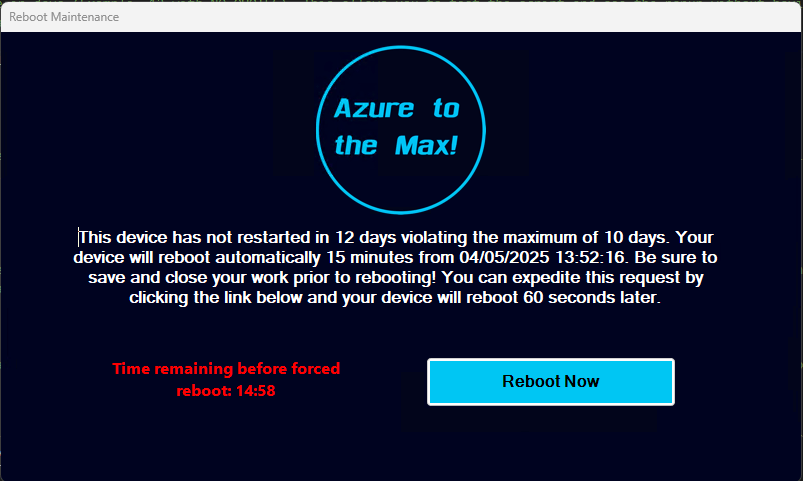
Intro: One of the age-old issues we in IT face is the employee who thinks rebooting their machine is a quarterly process, or at most a monthly process forced by Windows Updates. As we all know, lengthy up times have a tendency to create system instability and sluggishness, prevent application updates from processing (because much…
-
Automating Disk Space Alerts with Intune Proactive Remediations
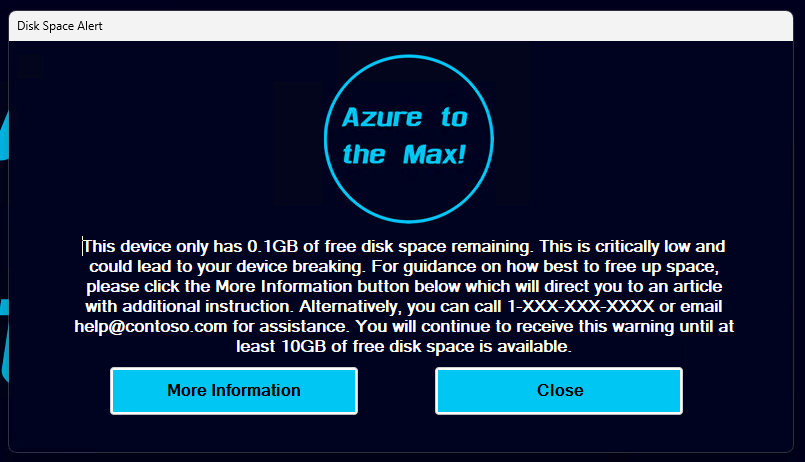
Intro: One of the age-old issues we in IT face is a machine running low on disk space. At best, this causes devices to become unstable, struggle to apply patches, and loose overall system (and employee) performance. At worst, it takes the device offline incurring downtime and potentially data loss. Thanks to ever-larger and cheaper…
-
Retired: Detecting & Automatically Removing Secondary “Work Or School” Accounts: Part 1
This Article Has Been Retired! Warning: I have chosen to “retire” this article. As time has marched on, and more information has been revealed, the blogs in this series have slowly become less and less up-to-date, and frankly, more and more of the information I was told as gospel has proved flawed or muddied. As…
-
Log Analytics for Windows Application Usage Monitoring Part 1.1: Technical Details and Limitations
Introduction: In my initial article of this series, I mentioned that there were a few asterisks, footnotes, limitations, and caveats to understand with this solution. Luckily, this is again much less of a concern than it was with the System Usage & Authentication Monitoring series as this collector isn’t targeting nearly the volume of event…
-
PR for Detecting Faulty Notepad++ Upgrades
Introduction: I might be a bit behind the wave here, but I wanted to provide something to the community that has helped in my world. As I am sure many folks are already aware, there were a host of vulnerabilities recently found and patched in Notepad++. Those include CVE-2023-40031, CVE-2023-40036, CVE-2023-40164, CVE-2023-40166 which you can…
-
Log Analytics for Windows Endpoint System Usage & Authentication Monitoring Part 1.6: Deploying the Script
Introduction: With your data ingesting and workbooks deployed, we are now ready to start deploying the collector via Proactive Remediations in Intune. This will likely be the final article in this series, at least for now. In this section, we will cover… Requirements: This should be pretty obvious, but you need to have completed the setup…
 Azure to the Max